

Calendar
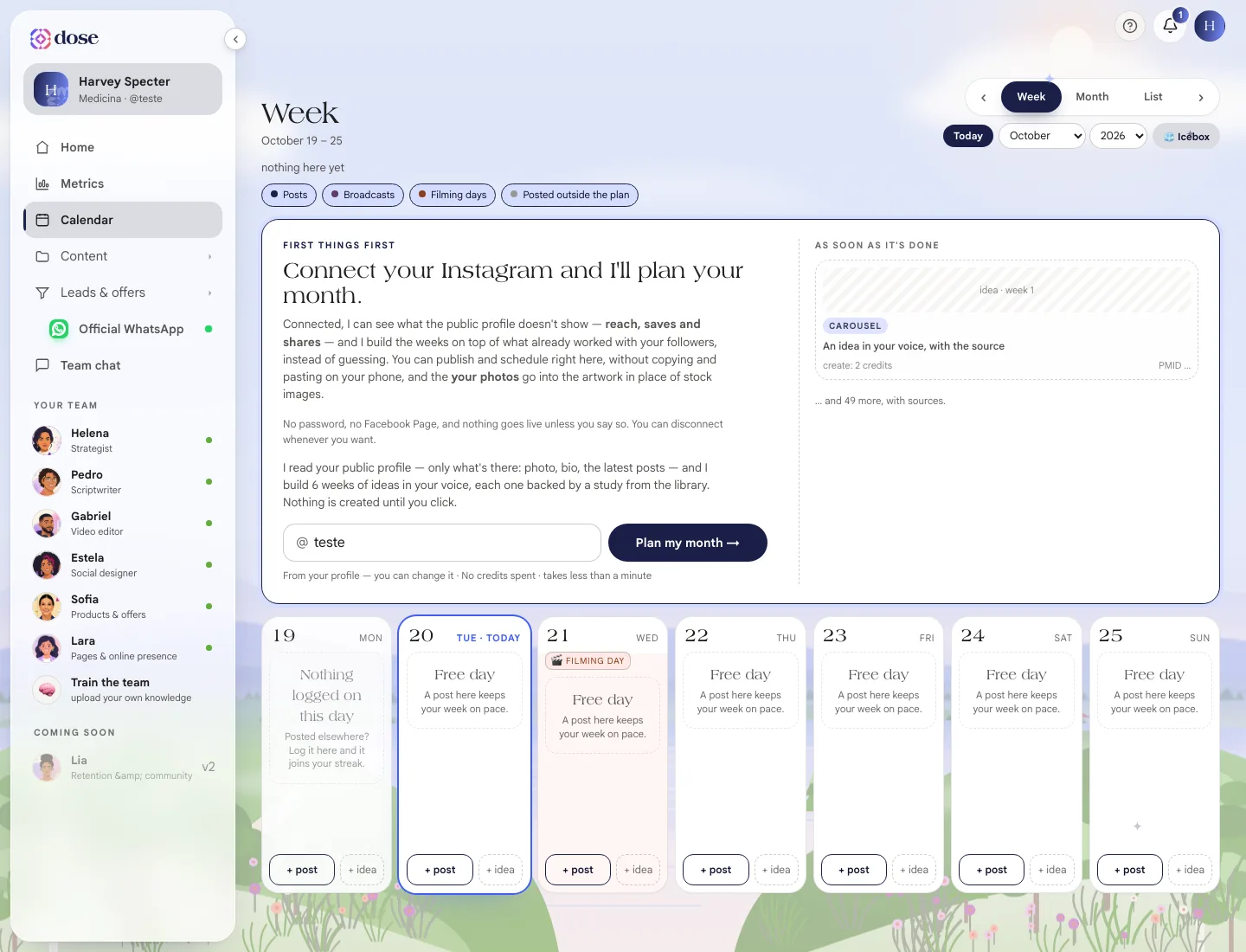
Your month in one place: what's gone out, what's scheduled and what's still an idea. Add posts, schedule them, mark what you posted elsewhere and reschedule.
The Calendar is your dated plan: what’s gone live, what’s in the queue and what’s still an idea. It talks to Artwork, Scripts and the Studio — it’s what makes the whole month hang together.
To open it, click Calendar in the menu.
The views
Section titled “The views”- Week — for working: what do I do today;
- Month — for seeing the rhythm;
- List — the next four weeks as a list.
Use the arrows, the Today button and the month and year picker to get around. You can go back to past months and see what already went live.
The layers
Section titled “The layers”Turn on and off what shows up:
- Posts — always on;
- Broadcasts — your scheduled WhatsApp campaigns;
- Filming days — the days marked with 🎬;
- Appointments — how many appointments there are that day, when a schedule is connected;
- Posted outside the plan — what went out on your Instagram without going through Scale.
Add to the calendar
Section titled “Add to the calendar”Each day has two buttons:
- + post — picks an artwork, a script or a video that already exists;
- + idea — jots down the topic and format (carousel, story, reel, e-book, photo). The idea goes in without artwork; Scale creates the piece when you ask.
An empty day reminds you: “A post here keeps your week on pace.”
What you can do with each card
Section titled “What you can do with each card”| Action | When it shows up |
|---|---|
| Create now | On an idea with no piece. Shows the cost in credits |
| Schedule / Publish now | With the artwork ready and Instagram publishing unlocked on your account |
| Reschedule / Move the day | On a scheduled post — the time on Instagram changes too |
| I posted it elsewhere | Marks it as published; you can paste the post link |
| Repeat every week | Creates the same card in the coming weeks |
| Remove from the calendar | Sends it to the Icebox — nothing is deleted |
| Delete for good | Only on ideas and posts from outside the plan, with confirmation |
The Icebox
Section titled “The Icebox”The 🧊 Icebox holds ideas without a day. Nothing in there was deleted — pick a day and use Put back.
What didn’t go out
Section titled “What didn’t go out”When there are overdue cards, ⤵ Push what didn’t go out shows up: it moves everything that didn’t go live to the following week, keeping each card’s day of the week.
With Instagram connected
Section titled “With Instagram connected”With Instagram connected, the Calendar:
- finds the posts you published straight on Instagram and closes the cards on its own, with the link and the metric (↻ Refresh from Instagram checks right away);
- shows the metric for each published post;
- reschedules on Instagram any scheduled post you move.
Without the connection, mark what you posted elsewhere by hand — those posts won’t have metrics.